Run Vera yourself (audit before every deploy)
Lesson 3 of 9 · Module 02 · The Agent Team: Catch What GHL Hides
You have seen Vera catch a broken ID in my account. Now you run her on yours, before you push anything live.
The rule from here on is simple: no workflow ships until Vera clears it. Not the ones you just built, not the ones you just edited, not the ones that came in on a snapshot. You audit first, you deploy second.
Here is how to do it right now.
Pick the workflow you are about to deploy
You need its workflow ID. Ask Claude to list your workflows for the account you are in:
List the workflows in this location with their IDs.Confirm you are in the right sub-account first. Vera audits whatever account the MCP is pointed at, so check the location before you run anything.
Run the audit
Point Vera at that one workflow:
Run Vera. Audit workflow <workflow-id> in this location.
Read every action, pull every ID it references, check each one
against the live account, and block if any is dead.
Vera reads the workflow, pulls every referenced ID, pipelines, stages, custom fields, and other workflows, and checks each one against the live account. Then she gives you one of two answers.
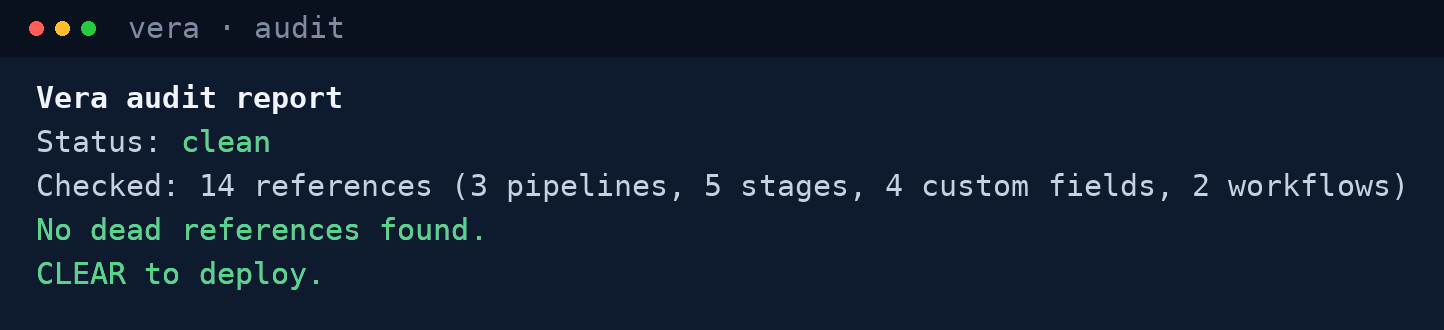
A clean workflow looks like this:
Vera audit report
Status: clean
Checked: 14 references (3 pipelines, 5 stages, 4 custom fields, 2 workflows)
No dead references found.
CLEAR to deploy.
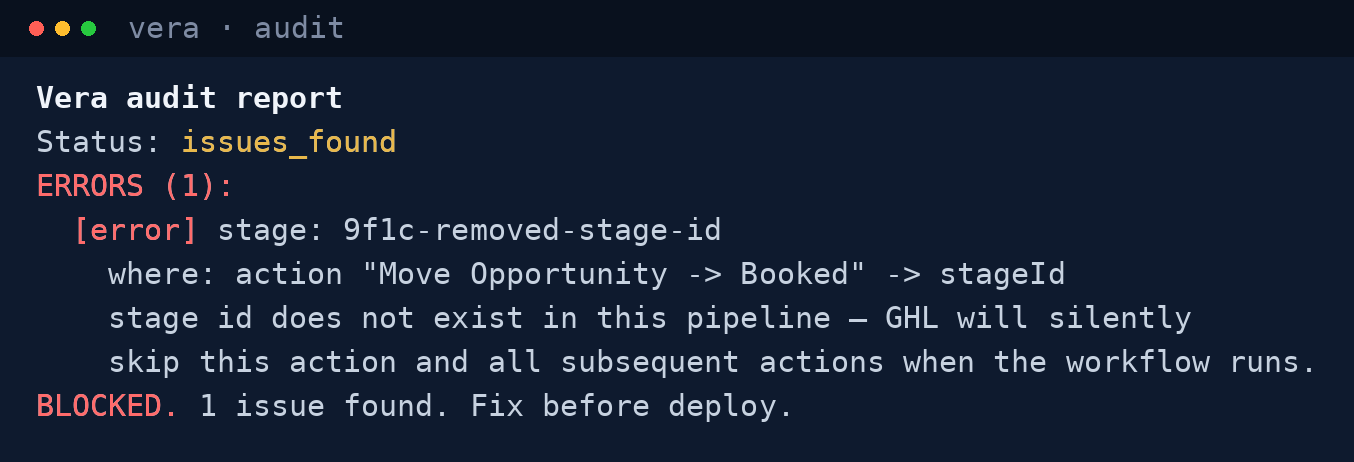
A broken one looks like this:
Vera audit report
Status: issues_found
ERRORS (1):
  [error] stage: 9f1c-removed-stage-id
    where: action "Move Opportunity -> Booked" -> stageId
    stage id does not exist in this pipeline — GHL will silently
    skip this action and all subsequent actions when the workflow runs.
BLOCKED. 1 issue found. Fix before deploy.
If she clears it, deploy. If she blocks it, you just caught, in seconds, the exact thing that would have died silently in production and surfaced as an angry client message later.
Do this now
Take a workflow you actually plan to push this week. Run Vera on it before you read the next lesson. Two things happen. Either it comes back clean and you deploy knowing it works instead of hoping it does, or it comes back blocked and you just dodged a problem you did not know you had.
Both outcomes are wins. The only losing move is deploying without the check.
In the next lesson, this stops being a thing you remember to do and becomes part of the ritual, wired into the Command Center you built in Module 01.